Pre‑verify your EPD and LCA study before verification or critical review
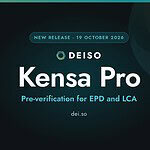
DEISO Kensa Pro checks your study the way a reviewer does, so you find the gaps before the verifier or reviewer does.
Kensa Pro checks an EPD against ISO 14025, EN 15804+A2 and your PCR, and an LCA study against ISO 14040 and ISO 14044. Every finding shows the requirement, where the study falls short and the points to gain. DEISO built it from its own EPD and LCA work, as part of the DEISO Sustainability Operating System.
Kensa Pro is a pre‑verification tool. It prepares your study for independent third‑party verification or critical review and does not replace either. Its results are not a verification, certification or approval.
What DEISO Kensa Pro is
DEISO Kensa Pro is a Windows desktop app for EPD and LCA pre‑verification. It reads your EPD or LCA study, and the PCR you attach, checks them against the requirements of the standards, tests the declared numbers, and turns what it finds into a score, a list of gaps and a fix plan.
DEISO built it from its own EPD and LCA work. Your team runs it on its own documents, on its own computer, and decides what to change.
Kensa Pro finds and explains the gaps. Your team, and then your verifier or reviewer, make the decisions.
From your document to a stronger submission
- Add your EPD or LCA study, and its PCRA draft or a published document, as PDF or Word, together with the product category rules it follows.
- Run the checkKensa Pro reads the document against its checklist for the document type and runs its results checks on the declared values.
- Read the findings and the scoreEach finding names the requirement, the page in your document and the points it costs. Click any score to see why.
- Fix in order of effectGaps are ranked by their effect on the score, each with the clause and how to close it.
- Check again before submissionAfter your changes, run the check again so the study reaches the verifier or reviewer with fewer open points.
Standards, PCR rules and the numbers themselves
Every document is read against the standards that apply to it and the PCR you attach.
- ISO 14025
- EN 15804+A2
- Your PCR
- ISO 14040
- ISO 14044
- Declaration content — the information ISO 14025 requires in a Type III declaration.
- Indicators and modules — the indicators, modules and scenarios EN 15804+A2 requires.
- LCA method — goal and scope, functional or declared unit, system boundary, allocation, data quality and interpretation, on the basis of ISO 14040 and ISO 14044.
- PCR rules — the rules of the PCR you attach, with a warning when a PCR does not fit the product.
- Results checks — for example copied module values, end-of-life CO₂ against the material burned, energy used as raw material, module D credits, mass balance, database versions and the residual electricity mix.
Run it yourself, or with DEISO
Licence Kensa Pro for your computers and check your own EPDs and LCA studies before every submission. Start with the 7-day trial.
In DEISO’s EPD and LCA services and EPD Capacity Building (Training), DEISO’s team uses Kensa Pro with you: how the checks work, what verifiers look for and how to prepare the evidence.
Clear findings your team can act on
- A score set by rules, not by the AI — fixed weights and checks computed by the app, with the reason for any cap shown.
- Gaps to fix — each with the standard clause, the page in your document and the action to close it.
- A fix plan — ordered by the effect each fix has, in four stages up to verification.
- Verification readiness — the DEISO method: 17 checkpoints and 8 delay risks that most often hold up third-party verification.
- Methods in the open — read exactly how each check runs, and take the method away as a PDF.
- A PDF report — for your records and your conversation with the verifier or reviewer.
The AI reads; the app scores; you decide
Kensa Pro uses AI to read the document and locate the evidence for each requirement, through your own OpenAI API key. The AI does not set the score: scores come from fixed weights and checks computed by the app. Your team stays responsible for every change and every conclusion.
Kensa Pro is a pre‑verification tool. It prepares your study for independent third‑party verification or critical review and does not replace either. Its results are not a verification, certification or approval. The content needed for a check is sent to the AI service under your own account.
Part of the DEISO Sustainability Operating System
DEISO builds Sustainability Operating Systems: the data, methods, review steps and evidence that make sustainability work repeatable. Kensa Pro sits at the review point of that system for EPD and LCA work, next to the other DEISO software and databases.
See how the whole system fits together on the DEISO Sustainability Operating System page.
Watch DEISO Kensa Pro pre‑verify an EPD
From your document and its PCR to the findings, the score breakdown and the fix plan, in one short tour.
Choose the DEISO Kensa Pro plan for your organisation
Every paid plan includes every feature to pre‑verify your EPDs and LCA studies. Plans differ only in the number of computers the licence covers. Prices in US dollars, per year.
| Plan | TrialFree7 daysStart the 7-day trialRegister or log in to My DEISO | RecommendedProUSD 1,4901 computerOrder now | TeamUSD 3,7903 computersOrder now | EnterpriseQuotation4 or more computersRequest a quotation |
|---|---|---|---|---|
| The licence key is activated on each computer it covers, and each computer uses one seat. The plan follows the number of computers: 1 is Pro, 2 to 3 is Team, 4 or more is Enterprise. | 1 | 1 | 3 | 4 or more, as chosen |
| Time starts when the key is first activated. | 7 days | 1 year | 1 year | 1 year |
| Your EPD against ISO 14025, EN 15804+A2 and your PCR, and your LCA study against ISO 14040 and ISO 14044, with every finding and the score breakdown on screen. | Included | Included | Included | Included |
| A trial runs 3 checks a day in total, EPD and LCA together, reset at midnight. A licence has no daily limit. | 3 per day | Unlimited | Unlimited | Unlimited |
| A trial keeps up to 5 documents and 2 PCRs. A licence keeps every document and PCR. | Up to 5 | Unlimited | Unlimited | Unlimited |
| Insights, the methods pages that explain how every check runs, and your history of checks (the last 10 in a trial). | Included | Included | Included | Included |
| Questions about a document and its findings, through your own OpenAI API key. 10 a day in a trial. | 10 per day | Unlimited | Unlimited | Unlimited |
| Two versions or two documents side by side, with a baseline and the change in every category. | — | Included | Included | Included |
| A step-by-step fix plan for the findings, and its PDF. | — | Included | Included | Included |
| The PDF report, Excel and ZIP exports, and copying any text or number from the results. | — | Included | Included | Included |
| The EPD and LCA methods as PDF. | — | Included | Included | Included |
| Your library and checks on several computers, with scheduled backups to a cloud folder you choose. | — | Included | Included | Included |
| New versions installed when you choose, and the Help inside the app. | Included | Included | Included | Included |
The 7‑day trial checks your own EPD and LCA documents, with 3 checks and 10 AI questions a day, up to 5 documents and 2 PCRs, and every result on screen. Compare, the AI fix plan, reports and exports, copying, method PDFs and Sync & Backup come with Pro, Team or Enterprise. Checks run on your own OpenAI API key with billing.
Questions about DEISO Kensa Pro
What is DEISO Kensa Pro?
Does Kensa Pro replace third‑party verification or critical review?
No. Kensa Pro is a pre‑verification tool. It prepares your study for independent third‑party verification or critical review and does not replace either. Its results are not a verification, certification or approval.
Who runs the checks?
Which standards does it check against?
Is Kensa Pro an AI tool?
It is AI‑supported. AI reads the document and locates the evidence for each requirement, through your own OpenAI API key. The score comes from fixed weights and checks computed by the app, not from the AI, and your team stays responsible for every conclusion.
What do I need to use it?
A Windows 64‑bit computer, an OpenAI API key with billing set up on your OpenAI account, and a licence key from DEISO or a 7‑day trial. The app shows step by step how to get an OpenAI API key.
Where do my documents go?
Your documents, checks and results stay on your computer and are not sent to DEISO. The content needed for a check is sent to the AI service under your own OpenAI account. If you turn on Sync & Backup, they are copied to a cloud folder you choose and control.
What do I receive after a check?
A score set by rules with the reason for any cap, the gaps to fix with clause and page, a fix plan ordered by effect, a verification readiness view based on the DEISO method, and a PDF report.
Is there a free trial?
Yes, for 7 days. The trial runs 3 checks and 10 AI questions a day, with every result on screen. Reports and exports, Compare and the AI fix plan come with a licence. Request the 7‑day trial.
How are licences sold?
By the number of computers: Pro covers 1 computer, Team up to 3, and Enterprise 4 or more, by quotation. Every licence runs for 1 year and includes every feature. Contact DEISO to order.
Can our team be trained to use these checks?
Yes. In EPD Capacity Building (Training), DEISO works with your team on its own EPDs, so it learns how the checks work and what verifiers look for.
How does Kensa Pro relate to the DEISO Sustainability Operating System?
Kensa Pro sits at the review point of the DEISO Sustainability Operating System for EPD and LCA work: the step where a study is checked before it goes to a verifier or reviewer.
Check your next EPD or LCA study before you submit it
Start the 7‑day trial and run DEISO Kensa Pro on your own document today, or order a licence for your team’s computers. Prefer to work with DEISO? Our team can use Kensa Pro with you in an EPD or LCA project, inside the DEISO Sustainability Operating System.
DEISO Kensa Pro is an independent pre‑verification tool of DEISO LLC. It prepares a study for third‑party verification or critical review and does not replace either; its results are not a verification, certification or approval by DEISO, any EPD programme operator or any certification body. Standards are named for reference only. OpenAI is a trademark of OpenAI; Kensa Pro uses the OpenAI API through the user’s own account and is not affiliated with or endorsed by OpenAI.